Multi-Camera Sports Recording with iPhone
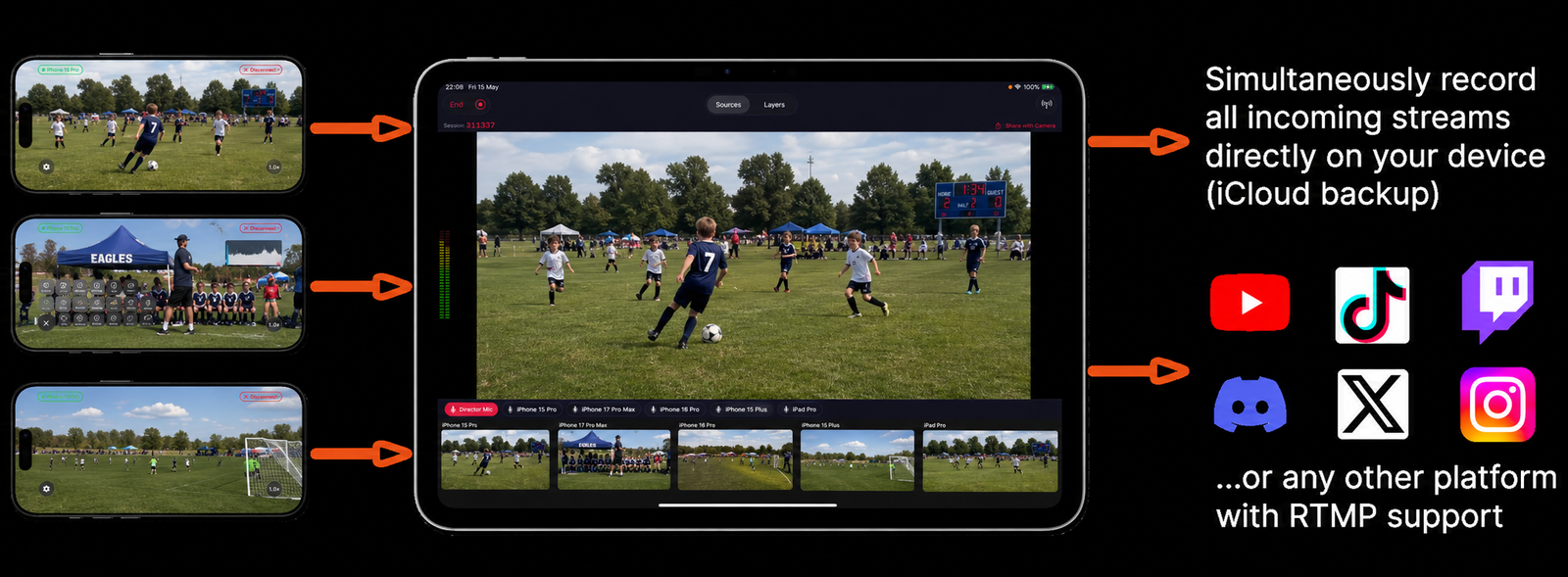
Capture the wide shot and the close-up simultaneously. Station iPhones around the field or court and switch between angles in real time — or let Auto-Switch follow the action automatically.
How It Works
Set up multi-angle sports coverage before the first whistle.
- 1Position iPhones around the venue
Place cameras on sidelines, end zones, overhead, or behind the goal. Tripod mounts, clamp mounts, or just prop them up — any stable position works.
- 2Start recording in Videk Director
All cameras capture simultaneously from the moment you hit record. You'll never lose a moment because you were looking at the wrong angle.
- 3Switch live or use Auto-Switch
Tap cameras to switch manually, or enable Auto-Switch mode — Videk analyzes all feeds for motion and cuts to the most active source automatically.
- 4Export individual tracks for highlights
Every camera angle is saved as a separate video file. Import all tracks into Final Cut Pro or iMovie to cut your highlight reel.
Built for Sports
Auto-Switch Mode
Videk analyzes all camera feeds for motion and automatically cuts to the most active source. Ideal for fast-moving sports where manual switching is impractical.
All Angles Recorded
Every camera saves its own full-quality video track regardless of which angle is "live." Nothing is ever lost.
60fps for Slow Motion
Record at 60fps to enable smooth slow-motion playback in post. Every camera can run at 60fps independently.
Wireless — No Cables
No HDMI cables running across the field. Cameras connect over Wi-Fi and can be placed anywhere in range.
Timed, Random & Motion Switching
Set cameras to switch on a timer, randomly, or via motion detection — Videk cuts to whichever camera sees the most movement. Ideal for sports spread across a large field where the action shifts between cameras continuously.
Highlights in Vertical
Export vertical 9:16 clips directly from Videk for Instagram Reels, TikTok, and YouTube Shorts highlights.
vs. Traditional Multi-Camera Sports Broadcast
Professional sports broadcast rigs require camera operators at every position, a production truck, video switcher hardware, and a director. Videk lets a single person manage 5+ camera angles from an iPad, with no additional crew. Ideal for youth leagues, college teams, amateur sports, and anyone who wants broadcast-quality coverage without a broadcast budget.
Start Your First Session
Download free. No sign-up. No hardware. Just iPhones and Wi-Fi.