Multi-Camera Podcast Recording with iPhone
Give your podcast a polished studio look without renting a studio. Set up iPhones for a wide shot plus individual host and guest close-ups — then cut between angles in post or go live with real-time switching.
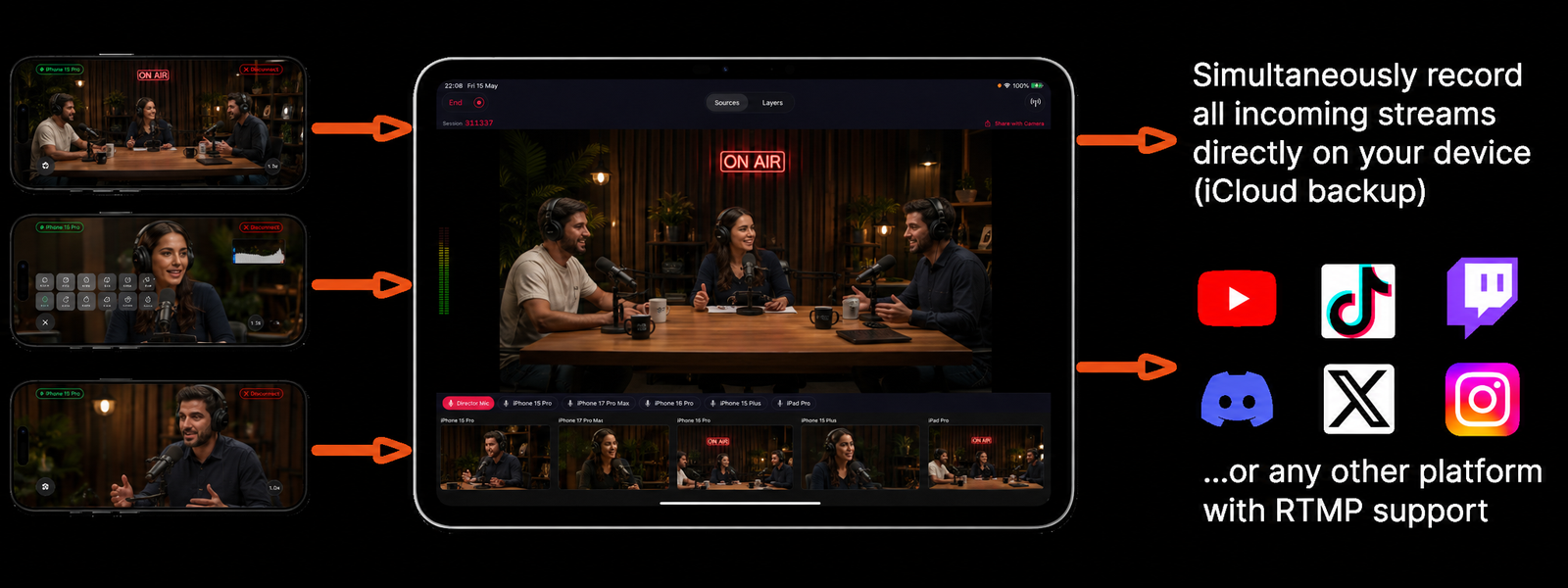
How It Works
A professional-looking multi-camera podcast setup in under 15 minutes.
- 1Set up your camera angles
Wide shot on a tripod, individual close-ups for each host and guest. Even two iPhones — one wide, one tight — dramatically improves production quality.
- 2Record all cameras simultaneously
Hit record in Videk Director and every iPhone starts capturing. All cameras are synced automatically — no clapperboard, no manual sync in post.
- 3Switch live for streaming or go to post
For live podcasts on YouTube or Twitch, switch cameras in real time. For recorded episodes, keep all tracks and cut in Final Cut Pro or iMovie.
- 4Export and publish
Export your edited episode for YouTube, Spotify, Apple Podcasts, or any platform. Export vertical clips for social media shorts.
Built for Podcasts
Host & Guest Close-Ups
Dedicated close-up angle for each person in the conversation. Cut to the speaker automatically or manually during editing.
Final Cut Pro & iMovie Export
Export your session as FCPXML for Final Cut Pro or individual tracks for iMovie. All angles pre-synced and ready to edit.
Live Podcast Streaming
Stream your podcast live to YouTube, Twitch, or any RTMP platform with real-time camera switching and lower-third overlays.
Lower Thirds & Overlays
Add guest name lower thirds, episode titles, and your show logo as live overlays. No green screen or separate graphics software needed.
Clip for Social Media
Export vertical 9:16 clips of key moments directly from Videk for YouTube Shorts, TikTok, and Instagram Reels.
No Studio Required
Professional podcast studios charge $50–$200/hour. A Videk setup costs nothing beyond the devices you already own.
vs. Booking a Professional Podcast Studio
A professional multi-camera podcast studio charges $50–$200 per hour, requires booking in advance, and locks you into a fixed location. With Videk, you record wherever you want — home office, coffee shop, conference room — and the setup takes less than 15 minutes. Guests don't need special equipment; they just need an iPhone.
Start Your First Session
Download free. No sign-up. No hardware. Just iPhones and Wi-Fi.