Use Your iPhones as a Multi-Camera Webcam on Mac
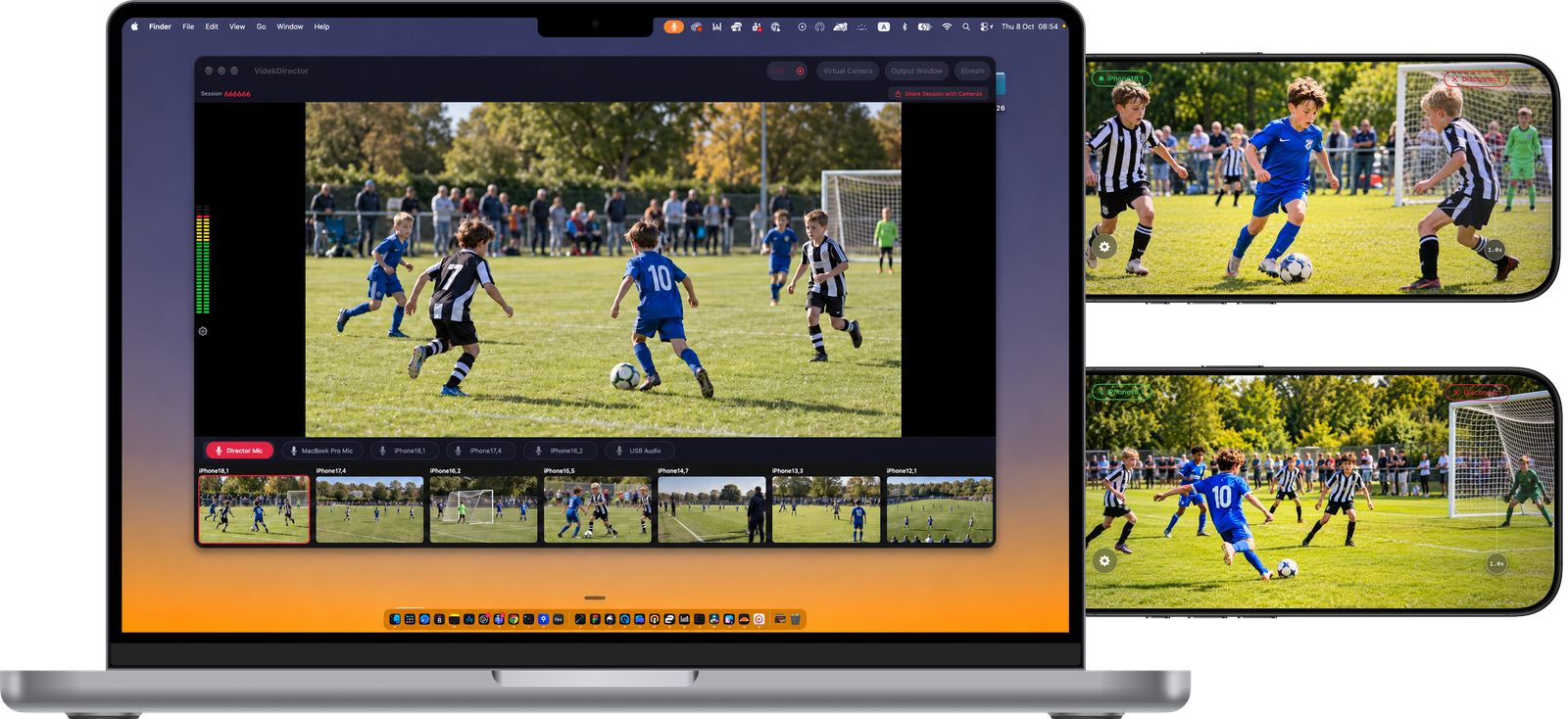
Videk Director is a native Mac app with a built-in virtual camera. Connect several iPhones as cameras, switch between them live, and pick "Videk Director" as your camera in FaceTime, Zoom, Discord or OBS — your video call or stream gets a real multi-camera show.
How It Works
From iPhones on tripods to a multi-camera video call in a few minutes.
- 1Start a session on your Mac
Open Videk Director on your Mac and click Create Session. Install the free Videk Camera app on each iPhone or iPad you want to use as a camera and join with the 6-digit code or an invite link.
- 2Turn on Virtual Camera
Click Virtual Camera in the toolbar and switch it on. The first time, macOS asks you to allow "Videk Virtual Camera" in System Settings › General › Login Items & Extensions › Camera Extensions — a one-time step.
- 3Pick Videk Director as your camera
In FaceTime, Zoom, Discord, OBS or any app that lets you choose a camera, select "Videk Director". The call shows your live program output — whichever camera you switch to, with your overlays.
- 4Switch cameras live
Click between angles, or let Videk switch automatically with motion detection, timed or random modes. Choose your microphone separately in the calling app.
Built for Mac Virtual Camera
A Real Mac Camera
Videk Director appears as a system camera at 1920×1080, 30 fps. Apps see it like any webcam — no plugins or extra software.
Multi-Camera Switching
Wide shot, close-up, product shot: connect several iPhones and switch between them while you talk.
Program Output Window
Prefer screen sharing? Open a clean program-only window (⌘⇧O) and share it in Discord Go Live, put it on an external display or capture it in OBS.
Overlays Included
Your text, image, GIF and live web overlays appear in the virtual camera, exactly as they do in your stream.
Native Mac App
Videk Director runs natively on macOS 15 or later, with a Mac toolbar, menus and windows.
Stays on Your Network
Cameras connect to your Mac over local Wi-Fi. No cloud relay, no account, and video leaves your network only through the apps you choose.
vs. A Single Webcam
A webcam gives you one fixed angle, and multi-camera setups usually mean capture cards, HDMI cables and switching software. With Videk, the iPhones you already own become wireless cameras, the switching happens in Videk Director, and the result arrives in your call as one ordinary camera. Audio isn't part of the virtual camera, so select your microphone in the calling app.
Start Your First Session
Download free. No sign-up. No hardware. Just iPhones and Wi-Fi.